Does Internet Shutdown and a National Network Improve Security?
Does restricting or shutting down the internet and using a national network improve security? A brief look at the pros, cons, and cybersecurity realities.

To fix the two-way block (unblock) of Instagram 2018, I will introduce you the latest method. There are many tutorials on
I will introduce you the latest method to unblock Instagram 2018.
There are many tutorials on the Internet about this, but the old methods of removing the two-way Instagram block (unblock) do not work on its new 2018 application.
If you have followed other methods of unblocking or unblocking Instagram two-way and did not get results, stay with us with this tutorial.
Before starting, note that when two accounts block each other, even when you go to the Blocked accounts section, you cannot unblock the desired account, and that account cannot unblock you either.
Because Instagram has blocked the display of the account for both of you. Therefore, you should get help from a third party. To start, enter the direct section through the third account and click on the positive sign.
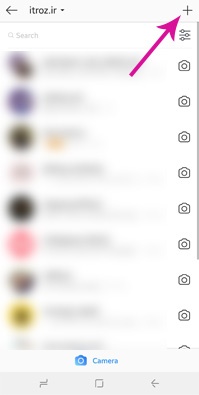
Then according to the image below, either select the two blocked accounts from the list or search for their IDs in search and check them.

Now click on the account you have blocked to enter its page.
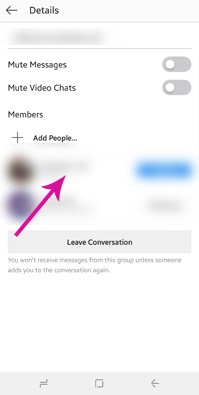
Finally, you can see three points in this section. Click on the three dots and press the unblock option.
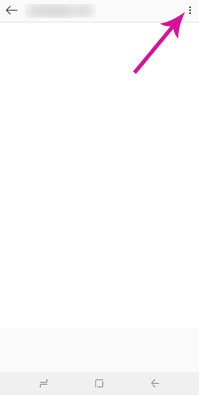
In this way, you can unblock two-way accounts.
source » Etros Academy

How to build a strong professional network and grow your career with practical techniques and examples for career advancement and professional skills.

Turning followers into customers through trust-building, a simple buying journey, and value-driven content; a complete guide to increasing sales on social media.

why some Instagram posts generate sales, with practical tips on audience persona, content value, storytelling, visuals, CTA, and consistency.


Follow the guide to set up your domain email on any device or OS, including both smartphones and computers, quickly and easily.

Comments (0)